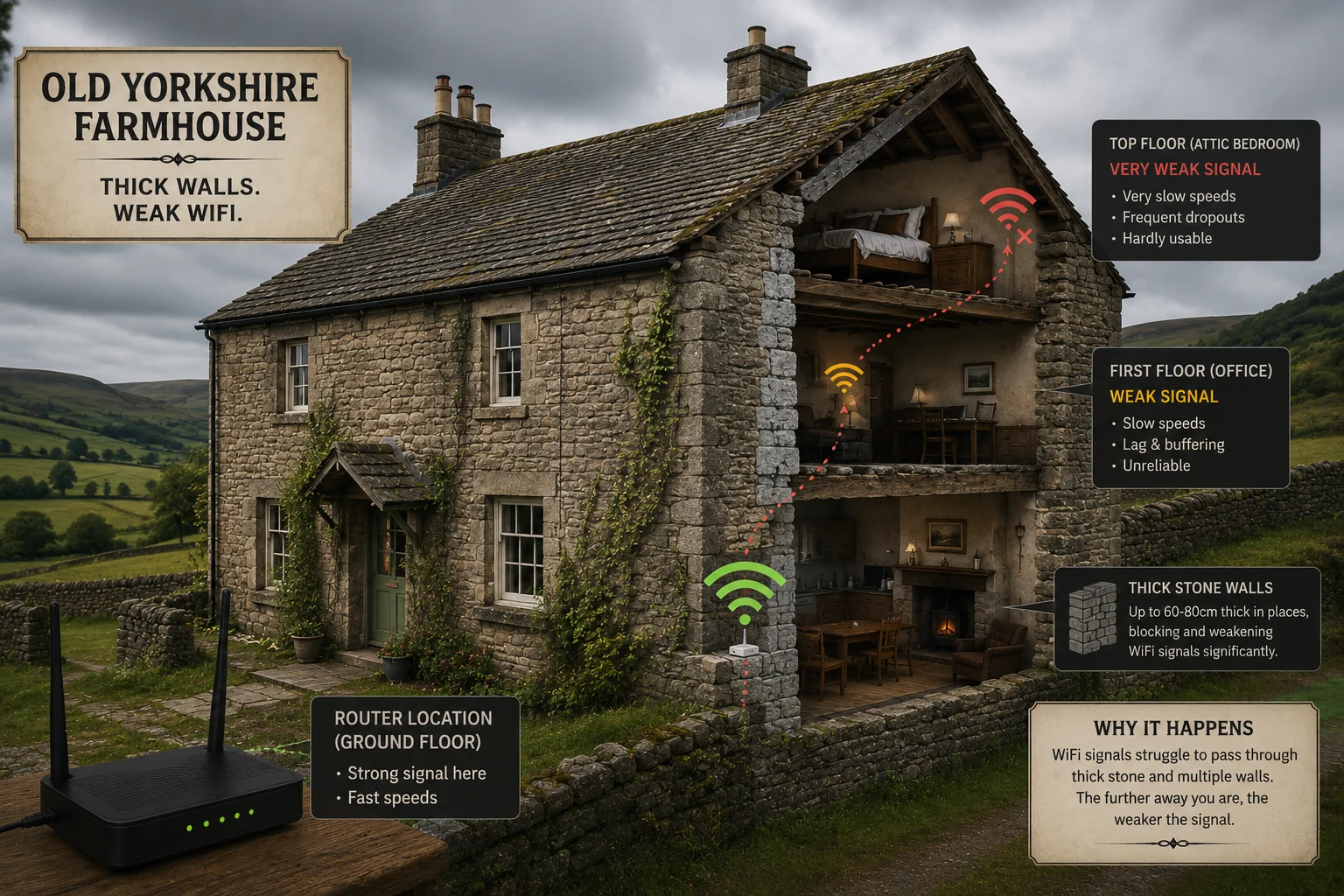
If you live in a stone-built farmhouse, a Yorkshire mill conversion, a Dales longhouse or a period terrace anywhere from Settle to Harrogate, you've probably had the same conversation with your broadband provider three times this year:
"Your speed at the router is fine, sir."
It is. That's the problem. The speed at the router doesn't matter — the speed in the spare room where you're trying to take a Zoom call does, and your WiFi is being eaten alive by the very thing that makes Yorkshire houses lovely: thick walls and centuries-old construction.
This guide explains exactly why it happens, the three classic mistakes people make trying to fix it, and what actually works in a period property — written by an installer who spends most weeks fixing exactly this for Yorkshire homeowners.
Why old stone houses are the worst-case scenario for WiFi
Modern routers are designed for 2010s open-plan housing — plasterboard walls, stud partitions, light timber floors. None of those exist in a 19th-century farmhouse. Your house is fighting your signal on multiple fronts:
1. Thick stone is a near-perfect signal blocker
A 60 cm gritstone wall doesn't just attenuate WiFi — at 5 GHz, it eats it. Typical loss figures from real surveys we run on Yorkshire properties:
| Material | Approx 5 GHz loss |
|---|---|
| Stud wall + plasterboard | 3–5 dB |
| Brick (single skin) | 8–12 dB |
| Solid stone, 30 cm | 15–25 dB |
| Solid stone + lath-and-plaster | 25–40 dB |
| Stone + old lead flashing | 40+ dB (effectively a Faraday cage) |
Anything past about 25 dB and the radio is no longer the limiting factor — it's the structure of the building. No amount of router upgrading fixes that.
2. Lath-and-plaster contains metal
Original lath-and-plaster ceilings and walls were often reinforced with iron nails, animal-hair binders and (post-1900) chicken wire. Chicken wire is the textbook example of a WiFi-killing material — the holes act as a waveguide that traps the signal in whichever room the router is in.
3. Chimney breasts, lintels and lead flashing
Stone chimney breasts (often where the lounge router lives), old steel lintels above doorways, and lead flashing around dormer windows all create dead spots that move depending on which 5 GHz channel your router happens to pick that evening.
4. Layout, not just construction
Period properties also tend to have:
- Small rooms with lots of doors closed during winter
- Working chimneys taking up the middle of the building
- Outbuildings or annexes the owner also wants covered
- A single hardwired phone socket — usually in the worst possible place for a router
Put all that together and a 2.4 GHz/5 GHz router sat in the lounge can't reasonably be expected to serve a back bedroom 8 metres away through two solid stone walls. It's not the router's fault — it's physics.
The 3 mistakes people make trying to fix it
Before they call us, almost every homeowner has tried at least one of these. They rarely solve the problem and they often make it worse.
Mistake 1: Buying a single, more expensive router
The most common move — "the BT Smart Hub isn't strong enough, I'll buy a £350 ASUS gaming router."
The new router has more antennas and a higher transmit power, but it sits in exactly the same spot as the old one. Same chimney breast, same stone wall blocking the back of the house. You get a marginally better signal directly next to the router and identical dead zones everywhere else.
We see this every month. The owner has £400 of routers in a drawer.
Mistake 2: A plug-in WiFi extender
The TP-Link RE505X, the Netgear EX6250 — these devices are sold as "the answer" in Currys. They aren't, for two reasons:
- They halve your throughput on every hop. A single-band extender has to listen to and rebroadcast on the same radio, so it can only ever talk to one device at a time. Two devices = half-speed for both. Five devices = a slideshow.
- They have to receive the same poor signal you're trying to escape from. If the router can't punch through the wall, neither can the extender plugged into the next room.
There is a narrow case where extenders are OK — a small flat, a single weak corner, low device count. In a stone Yorkshire house with five family devices, they make the WiFi worse.
Mistake 3: Wireless mesh without wired backhaul
Wireless mesh systems (Deco, eero, Orbi, Google Nest WiFi) are a real step up from extenders, but only if the mesh nodes can talk to each other reliably. In a stone property they often can't — the back-haul signal between nodes has to fight through the same walls everything else does.
The result: a "mesh" that's actually three independent islands handing off badly. Roaming devices stick to the wrong node for ages. You get the worst of both worlds — more kit on the bill, same drop-outs.
Wireless-only mesh works fine in open-plan modern builds. It struggles in period properties.
What actually works
In an old stone house there is only one approach that consistently delivers full-bar coverage to every room, no roaming hiccups, and speeds that match the broadband you're paying for: a wired-backhaul access point system, with one access point per floor (or per major zone), properly surveyed and placed.
Here's what that means in practice.
Step 1: A proper site survey
Before we touch a single wall, we walk the property with a spectrum analyser and a WiFi heat-mapping tool. We map:
- Where the existing signal actually reaches (not where you'd assume)
- Which 2.4 GHz channels your neighbours are using (in rural Yorkshire this matters more than people think — once you're in a hamlet, your neighbour's router 50 metres away can still bleed in)
- Where the natural cable runs are (lofts, existing voids, exterior eaves, old phone wiring chases)
- Where the family actually uses devices — there's no point in a perfect signal in a utility room nobody works in
This is the step the DIY-router buyers skip. It's the most important step.
Step 2: One wired access point per floor
Instead of one router trying to do everything, we install dedicated access points (APs) — usually a TP-Link Omada EAP or a Ubiquiti U6 — on each floor, fed by Cat6a cable back to a small PoE switch. Each AP only has to cover one floor through largely internal partition walls, not the whole house through stone.
Typical layout for a 3-storey Yorkshire farmhouse:
- Ground floor AP: ceiling-mounted in the central hallway
- First floor AP: ceiling-mounted on the landing, directly above
- Loft conversion / second floor AP: where there's a third floor, a third AP
All three broadcast the same SSID. Devices roam between them automatically and seamlessly — the way they do in a hotel or an office.
Step 3: Cabling that respects the property
This is where stone houses get tricky and where most general electricians get it wrong. We use:
- External Cat6a in UV-stable conduit, colour-matched to the stone and routed under eaves where possible
- Existing voids — old gas pipe runs, redundant phone cable chases, behind cornicing
- Discreet face plates that match existing sockets
- Listed building consent where required (we've worked with several Yorkshire heritage officers and know what they will and won't approve)
We don't drill through stone unnecessarily. Where we do, we use the smallest possible core, and we make good with lime mortar where needed.
From the field — Alex
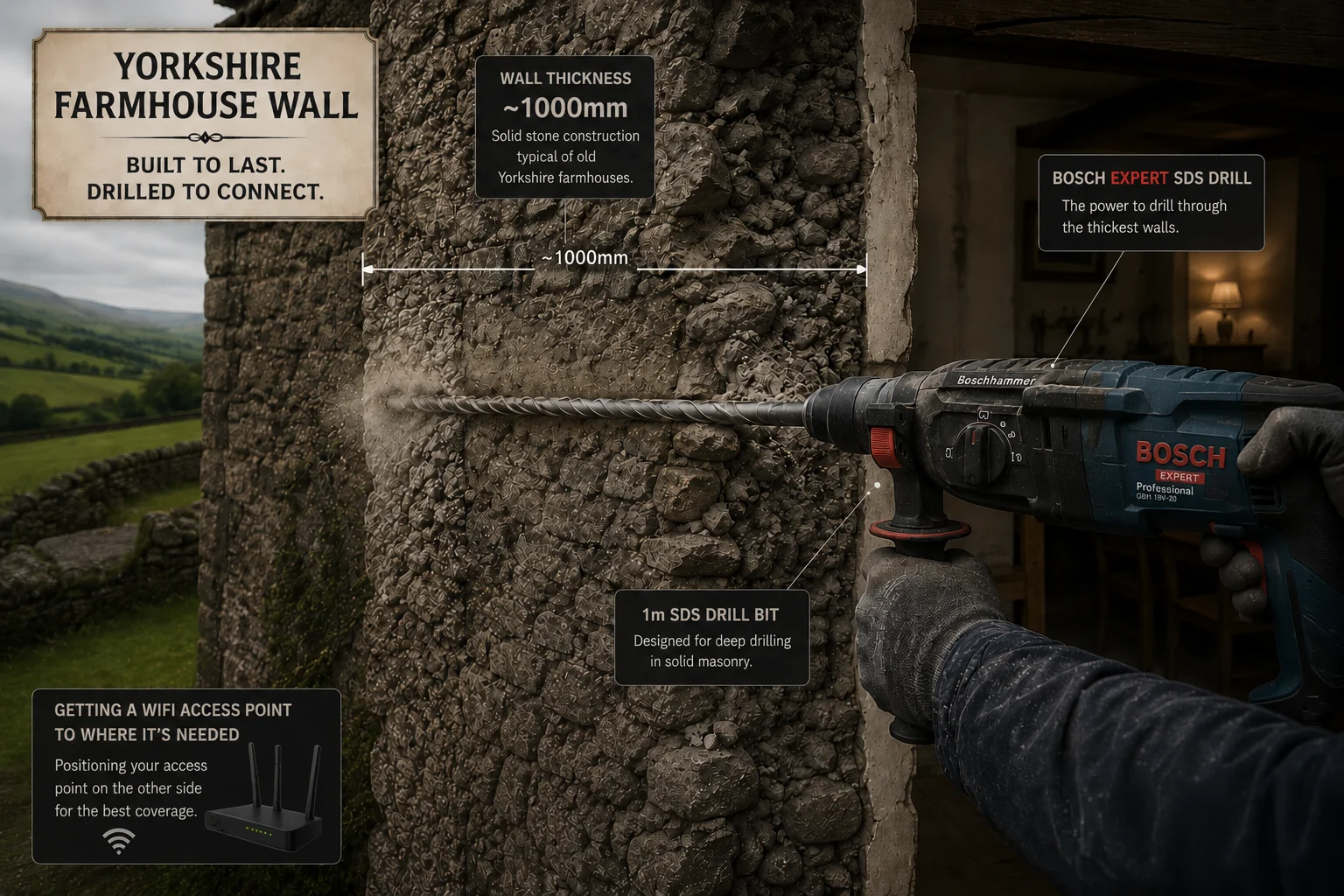
I specifically keep 1000 mm long 8 mm and 28 mm SDS drill bits in the van for Yorkshire farm walls. I've had jobs where the SDS has sunk the full 1 metre bit almost to the hilt before finally breaking through to the other side. That's a 1-metre drill bit nearly not getting through. Standard 400 mm bits a sparky would carry won't even touch a proper stone gable — which is one of the reasons electricians often refuse this kind of work. We came prepared.
Step 4: Configuration that prevents the next problem
A WiFi network is not "done" when the signal works. We also configure:
- Band steering so devices use 5 GHz / 6 GHz when in range, 2.4 GHz when not
- Fast roaming (802.11k/v/r) so phones and laptops switch APs without dropping calls
- A separate IoT VLAN for smart bulbs, doorbells, hot tubs — keeps your laptop safe from poorly-secured devices
- A separate guest network that auto-isolates and (optionally) auto-disables after 24 hours
- Cloud management so when something goes odd in 18 months we can fix it remotely without coming out
This last point matters a lot in rural Yorkshire — a return visit isn't always quick or cheap, so we engineer the network to need as few of them as possible.
What it actually costs in a Yorkshire stone house
Every property is different, but typical real-world figures:
- A small 2-bed cottage (1 AP, 1–2 cable runs): from about £540 + VAT
- A 3-bed farmhouse (2 APs, 2–3 runs, light cabling): from about £900 + VAT
- A 4–5 bed family house with annexe (3 APs, external Cat6a to outbuilding, IoT/guest VLANs): typically £1,500–£2,200 + VAT
- A complex listed property or multiple buildings: quoted after the site survey
For comparison, three failed DIY attempts — a £300 router, a £180 extender pack, a £450 wireless mesh — costs more than the lower end of a proper job, and you'll still have the dropouts.
When you should call us
If any of the below sound familiar, your WiFi isn't going to fix itself by buying another box:
- Zoom or Teams calls drop in specific rooms
- The kids' iPads "work fine, then don't" at the same time every evening
- Smart TVs buffer 4K despite a 500 Mbps+ broadband connection
- A WiFi extender or mesh hasn't fixed it
- The signal works outside the house but not inside (a classic sign of a Faraday-cage effect from lead flashing or chicken wire)
- You're moving into a period property and want it sorted before you move in
We cover Yorkshire and beyond from our base in Knaresborough — Harrogate, York, the Dales, the Lakes, Leeds, Wetherby, Ripon and out to the Yorkshire moors. Most surveys can be booked within a week, and a typical install is one day on site.
Quick recap
- Old stone walls eat WiFi signals. It's physics, not a fault.
- Lath-and-plaster with metal mesh, lead flashing and steel lintels make it worse.
- Bigger routers, extenders and wireless-only mesh rarely solve it in period properties.
- Wired-backhaul access points, one per floor, configured properly, do.
- A good install takes a site survey, sympathetic cabling and proper roaming configuration — not just better hardware.
If you'd like us to come and look at yours, book a free survey and we'll quote properly after seeing the property. We promise a one-hour callback during working hours.
/ Questions
Frequently asked.
Why does my WiFi work fine downstairs but not upstairs in my stone house?+
Most ISP routers sit in the lounge and use the 5 GHz band, which barely penetrates one stone wall let alone two floors of lath-and-plaster and old chimney breasts. The signal isn't 'weak' — it's being absorbed. The fix is to put a wired access point on each floor, not to rely on radio bouncing through the building.
Will a WiFi extender work in an old farmhouse?+
Almost never well. Single-band extenders halve your speed every hop, and they have to receive the same poor signal you're trying to escape from. In a dense stone property, an extender just spreads the misery. A properly meshed system with wired backhaul is the only reliable answer.
Do I need to upgrade to WiFi 7 to fix dead zones in a period property?+
No. WiFi 6 or 6E on a properly placed and wired-back access point will outperform a WiFi 7 router sat in the wrong place. The standard matters far less than placement and backhaul.
Can you install WiFi in a listed building without damaging it?+
Yes. We route Cat6a cables externally in conduit colour-matched to the stone, or internally through existing service voids and lofts. Where drilling is needed we use sympathetic core sizes, and we work with your listed building consent if required.