WiFi coverage testing that talks installer.
SignalMetrics turns your Android phone into a proper site-survey instrument. Walk the property, tap TEST at each spot, and you get a hard number — not a "bars" cartoon — for every corner of the house. When you leave, the customer gets a branded PDF report they can hand to their ISP.
No accounts. No cloud. Free for personal use, licensed for commercial use. Everything stays on the device.
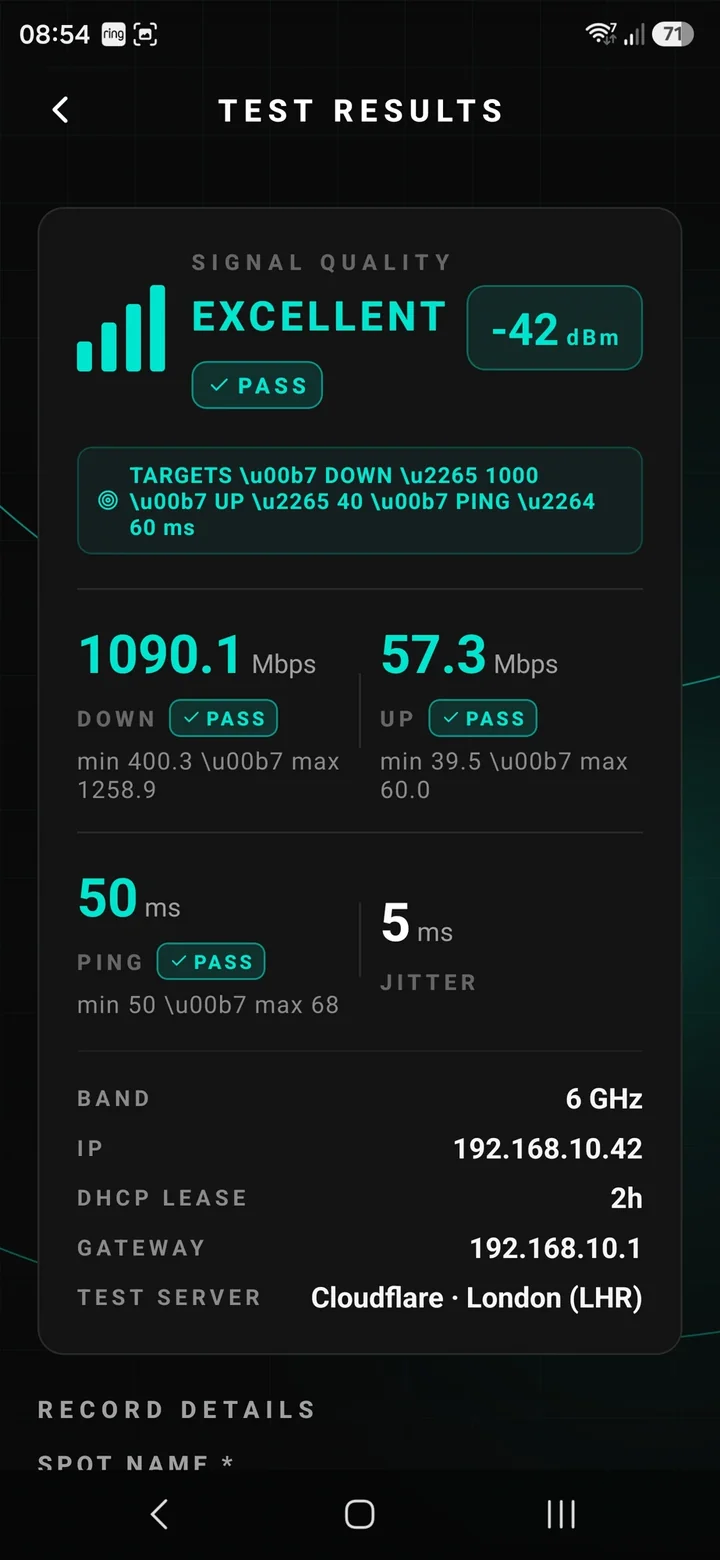
Built around one honest structure — Property → Access Point → Test Spot.
Most WiFi problems get diagnosed with a shrug and a "yeah looks fine over here". SignalMetrics fixes that. A full house survey is organised, repeatable, and quotable — every time.
Prove a coverage gap
Walk the property once, hand the customer the number in every room, quote the mesh upgrade or extra AP with evidence.
Verify a fresh install
Every spot hits the customer's paid-for speeds — not just next to the router. Sign-off has an audit trail.
Investigate a slow-WiFi callback
Turn up, tap TEST at the four rooms they complained about, see the pattern in ten minutes flat.
Hand the customer evidence
Professional PDF with speeds, spots and pass/fail marks for every room — signed off before you leave the driveway.
Every feature earned its place on a real job.
Multi-stream speed testing (Cloudflare)
Real throughput measurements pinned to Cloudflare's global edge network, not a third-party test farm you can't audit. Multi-stream download and upload with min / max / median tracking, ping, jitter, and a live sparkline while the test runs.
Native WiFi detection
Auto-detects the SSID, BSSID, band (2.4 / 5 / 6 GHz), gateway IP, DHCP lease, and RSSI in dBm on every test — no manual entry, no guessing. Uses a patched native WiFi module for the values Android normally hides.
Per-property pass / fail targets
Set three sliders for each customer — Download (25–1000 Mbps), Upload (5–500 Mbps), Ping (10–500 ms). Every test at that property is graded against those thresholds instantly, with a PASS / N-of-3 badge on each spot.
At-a-glance property health
Every property and access-point card carries a subtle colour tint reflecting its worst recent test. Green means every spot is hitting target; orange means marginal; red means something needs fixing before you leave.
Network device scanner
A proper LAN sweep, not a curiosity feature. Custom Kotlin engine fans out ICMP + TCP across the /24 in parallel (about 2 seconds), then merges with UDP discovery (Omada ECSP JSON + Ubiquiti TLV), mDNS/Bonjour, SSDP and HTTP fingerprinting.
Branded PDF reports
Generate a shareable PDF with the Geek Fix logo, the property address, every spot's speeds and the customer's target thresholds. Send it from the phone via WhatsApp, email or AirDrop — no portal, no waiting for a cloud sync.
Five screens, no dashboards.
Everything the app does is one or two taps deep. Below is a real tour, on a real property, from a real install.
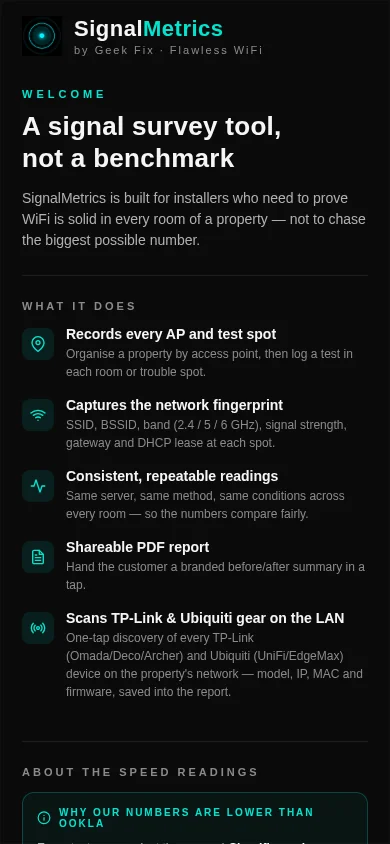
Welcome — a proper site-survey tool, not a benchmark
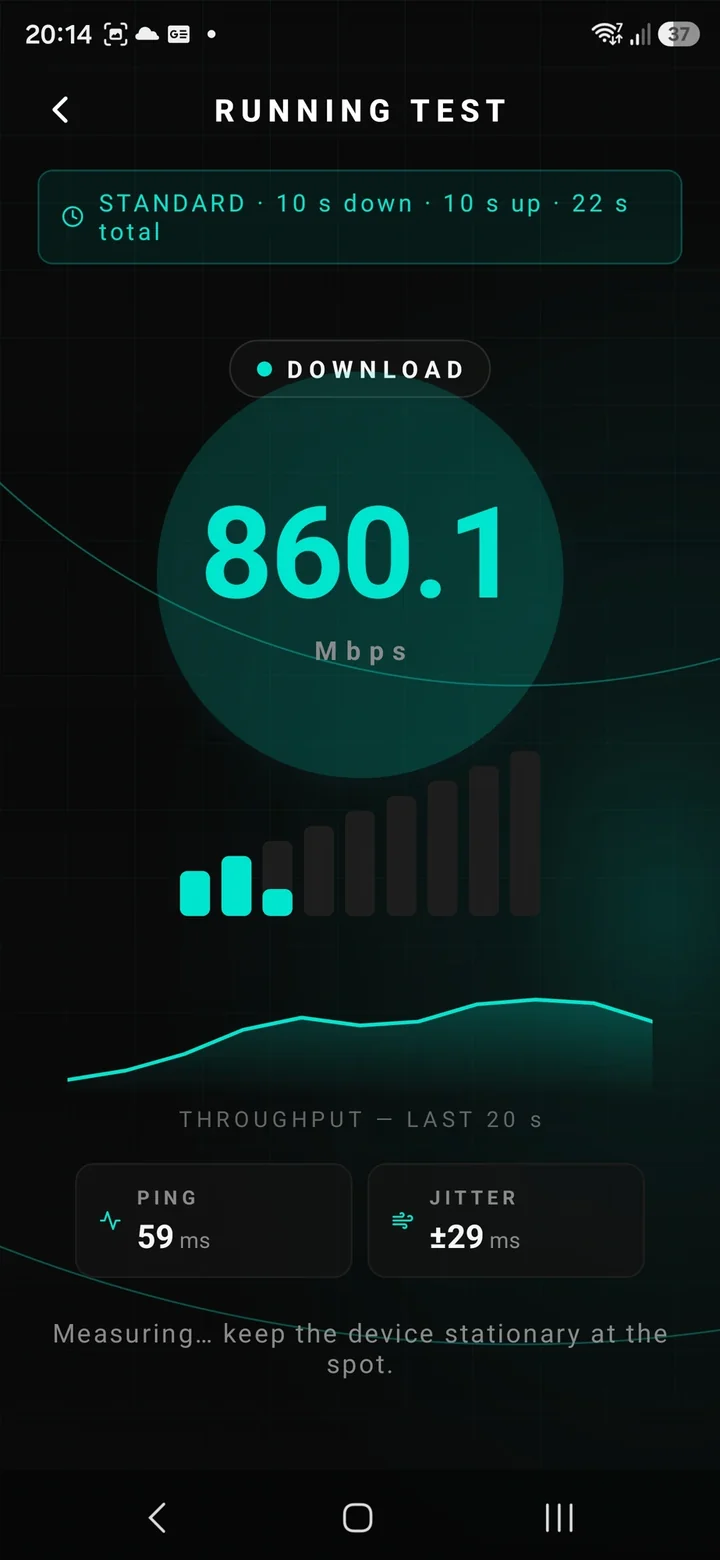
Running test — multi-stream Cloudflare download with live sparkline
Result — pass/fail against per-property targets, one tap away from a PDF
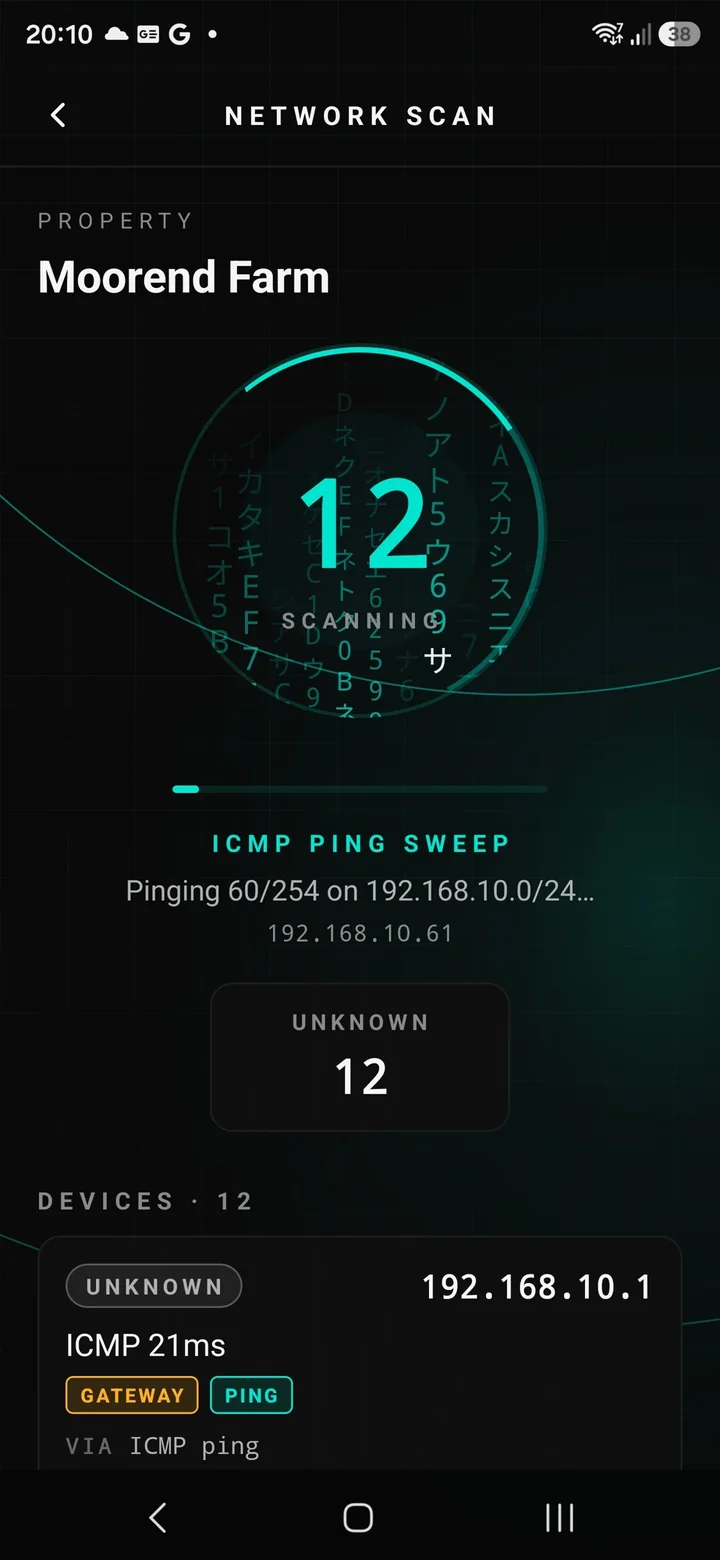
Network scan — full /24 sweep, ICMP + TCP + mDNS + SSDP in seconds
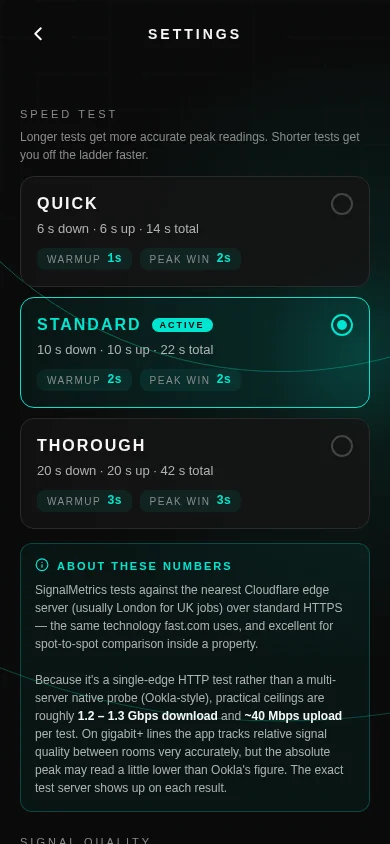
Settings — pick your speed-test profile: Quick, Standard or Thorough
From every other speed-test app on the store.
Built by an installer, for installers
Every feature earned its place on a real job. If it isn't useful on-site, it isn't in the app.
No account, no login, no server
Faster to launch, works in a Faraday-cage flat, and keeps customer data off other people's computers.
Cloudflare-grade speed test
Direct multi-stream fetch/upload against Cloudflare's edge — trustworthy numbers, no telemetry leakage.
Native LAN scanner, not a script
Kotlin with proper coroutines so a full /24 completes while you're still walking to the next room.
Privacy-first by default
No analytics SDK. No crash reporter phoning home. No login. A customer's WiFi topology is their business.
Every measurement stays on your phone.
No account. No cloud. No analytics SDK. No crash reporter phoning home. Uninstall SignalMetrics and every property, every test, every scan goes with it. A customer's WiFi topology is their business — not ours, not anyone else's.
Read the full privacy policy →People whose day involves walking around holding a phone.
Independent WiFi / smart-home installers
Prove coverage before and after every install.
IT consultants
Quick on-site audits for SMEs and home offices.
Landlords and property managers
Validate a mesh upgrade actually reached the loft conversion.
Anyone doing enough WiFi work
That walking around holding your phone is already part of the job.
For the tech-curious.
- Built with Expo (React Native) — one codebase, native performance where it matters.
- Custom native Expo module (NetScan) written in Kotlin, using coroutines +
Semaphorefor bounded concurrency so a Pixel doesn't thermally throttle mid-scan. - Speed engine hand-rolled against Cloudflare's
/__downand/__upendpoints with multi-stream parallelism. - Zero third-party analytics or crash-reporting SDKs.
- Local SQLite for structured storage — no leaky
AsyncStorageblobs.
Things people ask before they hit install.
Does the app upload my customer's data anywhere?
How accurate is the speed test?
Do I need to be online for it to work?
Which routers can the scanner identify?
Can I export the report as anything other than PDF?
In final testing on Google Play. iOS coming soon.
Free for personal use, licensed for commercial use. No subscription, no in-app purchases. If you want to say thanks — book Geek Fix for your next WiFi install.